
Recruit, onboard, assign, and manage.
Administrative Command Center
Business Operations
The people, processes, and systems that power your fleet from the inside out. Workforce, finance, payroll, accounting, and treasury—connected in one operating layer.
Close, reconcile, document, and control.
Monitor liquidity, banking, and cash risk.
Plan, analyze, forecast, and report.
Pay accurately, resolve exceptions, and preserve proof.
Operating proof
Queues, owners, dates, records, and approvals stay connected to the work they govern.5Operating AreasWorkforce to treasury
12Open QueuesOwner assigned
4Exception TypesReview rhythm set
Illustrative demo data.
Administrative operating layer
Five operating areas, one accountable workflow.
Business Operations gives the back office a shared control center for people, money, vendors, and records. Each area keeps its own detail while staying connected to the owners and evidence needed to move work forward.
HR & Workforce
Recruit, onboard, assign, and manage.
- Hiring and onboarding queues
- Driver readiness and personnel records
- Owner follow-up for exceptions
Accounting
Close, reconcile, document, and control.
- AP, AR, and settlement support
- Record-backed reconciliations
- Close tasks tied to source proof
Treasury
Monitor liquidity, banking, and cash risk.
- Cash movement and banking controls
- Receivable pressure and hold reasons
- Owner visibility for cash blockers
Finance
Plan, analyze, forecast, and report.
- Operating reports by queue and owner
- Planning signals from live records
- Executive review rhythm
Payroll
Pay accurately, resolve exceptions, and preserve proof.
- Payroll exception queues
- Settlement evidence and approvals
- Driver question resolution history
Workspace preview
A practical desk for the work behind the fleet.
Business Operations keeps everyday back-office signals in view: workforce readiness, payroll exceptions, vendor records, accounting follow-up, and executive review. The dashboard preview is illustrative, while all decision-making copy and controls remain live HTML.
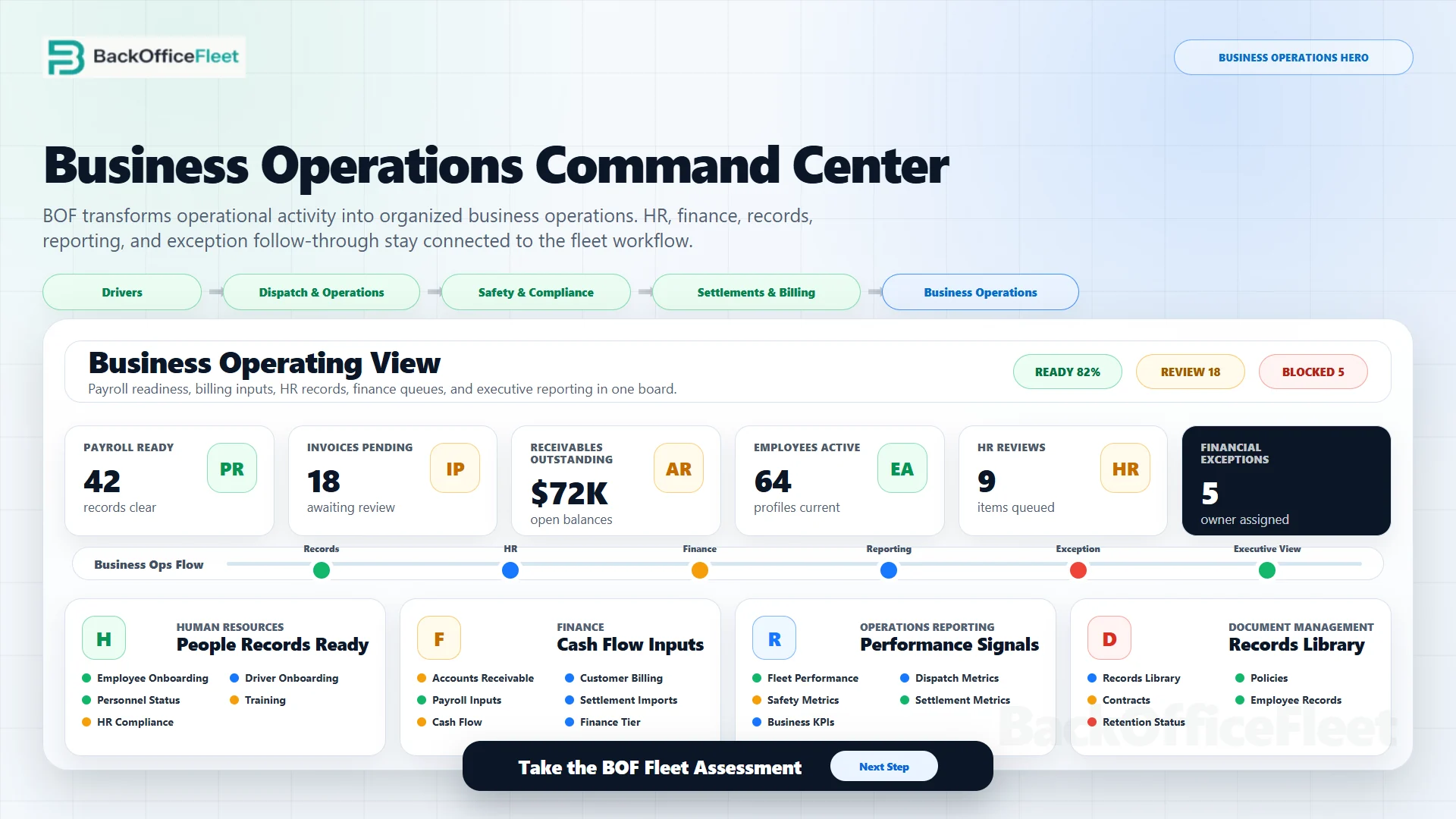
Administrative control board
Payroll, AR, AP, fuel, maintenance, and cash flow are worked from one operating queue.
Each row shows the record, owner, current state, and downstream consequence so the back office can prioritize the work that will affect drivers, customers, vendors, or cash.
SET-1907 held for POD and renewal evidence
- Owner
- Payroll desk
- Driver
- Carlos Martinez / DRV-002
- Consequence
- Settlement release waits on proof packet
TMS-LD-10482 rate, BOL, and POD packet tracked
- Owner
- Billing desk
- Customer load
- Dallas, TX to Memphis, TN
- Consequence
- Invoice can release after BOF-RR-10482 decision
CAR-204 renewal evidence attached to watch rows
- Owner
- Vendor desk
- Records
- BOF-1907 and BOF-2175
- Consequence
- Carrier coverage remains visible before commitment
BOF-2064 ready row has unit, route, HOS, and proof status
- Owner
- Dispatch desk
- Equipment
- T-206 / TRL-118-09
- Consequence
- Normal staging, no release blocker
Packet completeness drives invoice, factoring, settlement, and payment timing.
3billing packets ready
2proof packets in review
1settlement hold
13 wkcash forecast view
Connected workflows
The office can see what changed, who owns it, and what happens next.
Workforce and onboarding
Hiring, assignment, documents, and readiness move through visible queues instead of scattered follow-up.
Payroll and accounting exceptions
Questions stay connected to driver, load, settlement, invoice, and approval evidence.
Treasury and cash visibility
Receivables, payment blockers, cash pressure, and banking follow-up land in owner-ready views.
Vendor and record control
Vendor files, insurance records, contracts, renewals, and operating documents keep their context.
Business Operations demo
Review the administrative workspace without leaving the public page path behind.
The unified customer demo opens directly to Business Operations and returns to this public product page through the approved View Business Operations link.